with ai coding being so much faster than doing everything manually, you can either take more breaks or run more agents in parallel. i went with parallel.
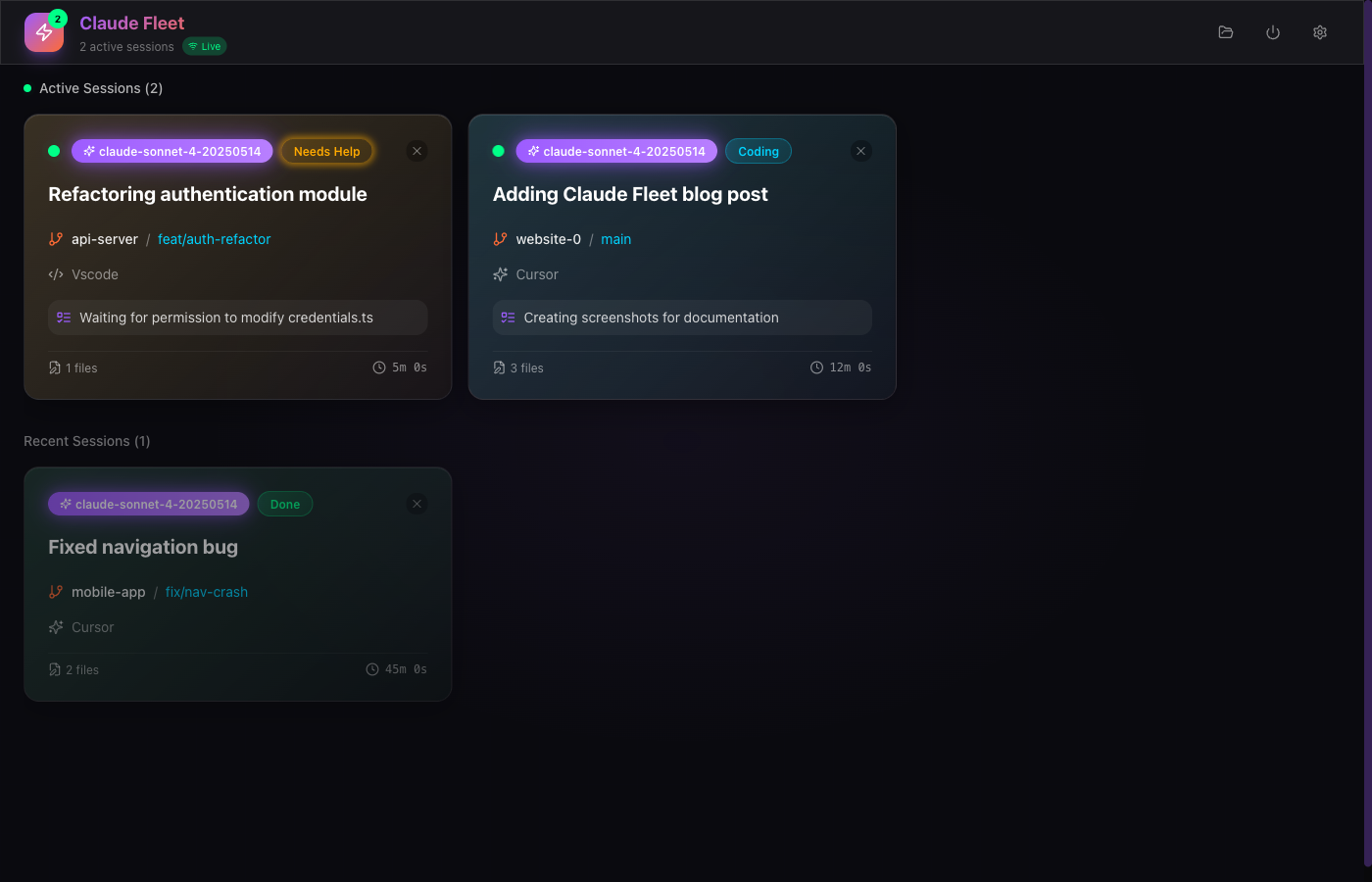
the tricky part is context switching between multiple ai coding sessions, but you can build tools to make that easier. that's what led me to claude fleet - a dashboard for keeping track of ai agents.
nowadays, ai coding is a huge accelerator to the time it takes to build code, as a result the total cost of building something is ~free, as fewer human hours are sunk into building something, and ai tokens are so cheap. now, because it is so fast and cheap, the way to differentiate yourself and gain an edge over others is to be more efficient. being able to produce higher quality ai outputs in a shorter time is a very valuable skill that not everyone has caught up with and its where ive been focusing my attention to set myself apart from other devs.
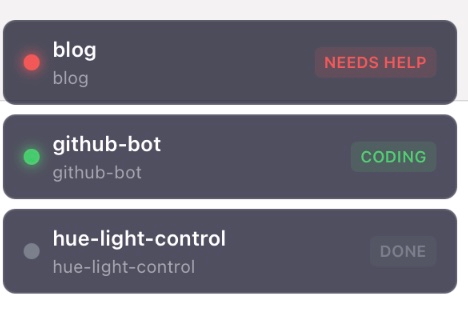
tooling is part of the way i do this. i noticed that i had a lot of downtime in between prompts for agents, and while i could just give myself the extra free time, i chose to do more work in parallel and instead spend less time total on projects. this is why i built Claude Fleet, a dashboard that shows al of your agents, where they are working and what their status is, and also a discord-like overlay that always shows you the simplified status session pills in the top right corner, so whatever youre doing you can see if it’s finished, needs your attention or approval for permissions.
the overlay sits on top of everything and shows compact session pills that update as things happen.
the uses claude code's hooks system to track session lifecycle, tool usage, and permission requests. i also had to add some file watching to claude’s transcripts as a contingency for some niche cases, for example when a user cancels claude’s actions with esc, which doesnt fire a hook. the file watching sees in the transcript if claude was interrupted as a specific message is written when this happens, letting us easily keep track.
the current stack looks like this:
- rust + tauri 2.0 - native desktop
- next.js 15 + react + typescript - frontend
- tokio async runtime + axum - hook server
- notify crate - cross-platform file watching
- websocket broadcast - sub-50ms ui updates
it runs three local servers: http hooks on port 14322, websocket broadcast on 14324, and an mcp server on 14325 for direct claude integration.
right now it tracks:
- session status (coding, waiting, needs help, done)
- editor detection (vscode, cursor, neovim, windsurf, continue, claude cli)
- git branch and repo info
- files changed and current task
- process and terminal tracking
longer term, i want this to become more of a control layer for running lots of agents without the context-switching overhead. next up:
- support for models outside of claude code
- one-click navigation to repos when sessions finish, so you can jump straight into the project instead of hunting through folder
- make custom components for everything instead of library stuff, to make it look more original and less vibe coded
overall, it has helped reduce my context switching cost massively and reduced my downtime. im always aware of when something needs my attention and makes it quick to address it. for some particularly impressive speeds, i recommend on any given project to use this tool, and git worktrees with multiple agents running in parallel on different features, if you build frontend and backend separately in parallel you can cut your build time by ~50%, even more if youre particularly good at queueing prompts and good at context switching.